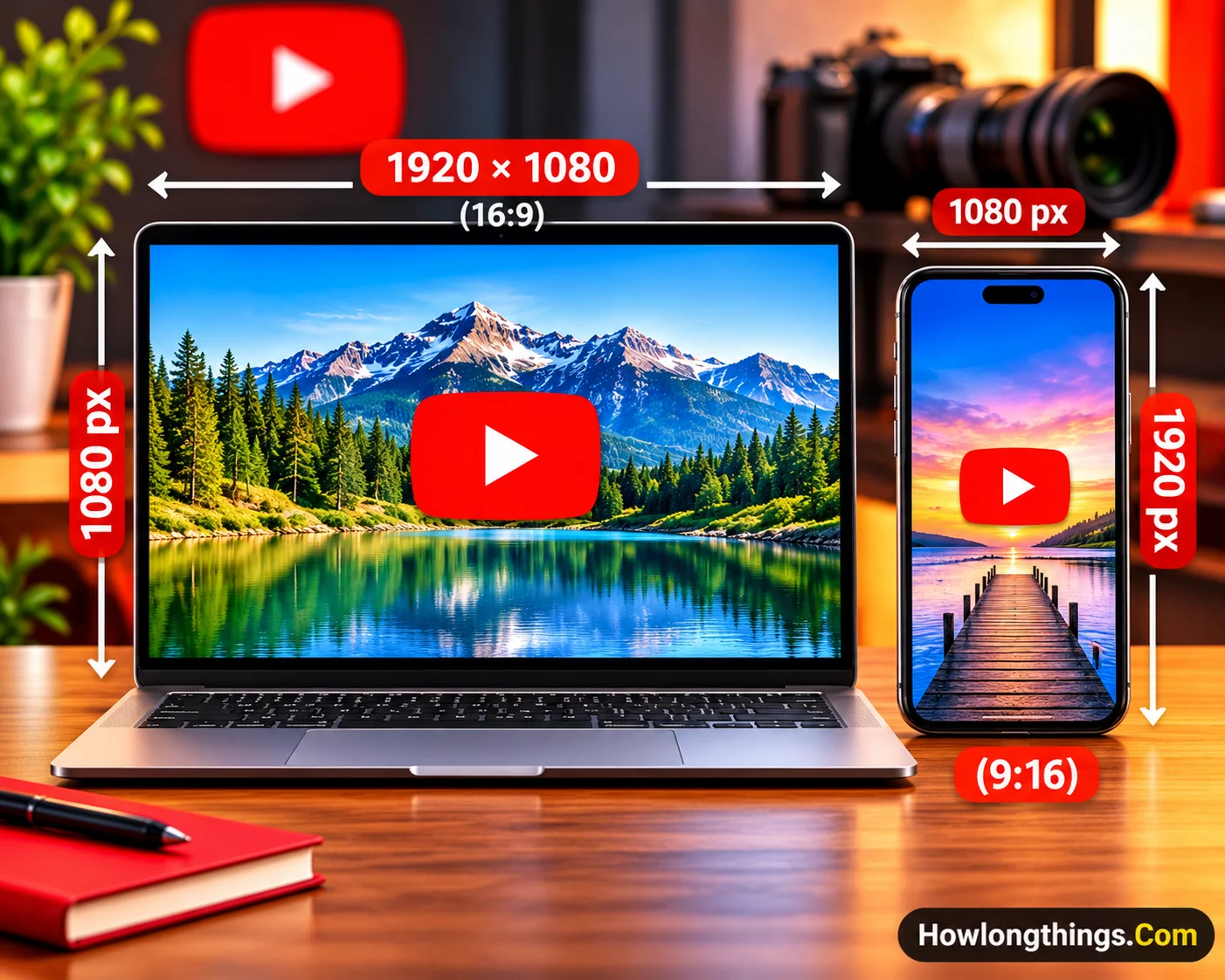
What are the exact YouTube video dimensions? The standard is 1920×1080 pixels (1080p) in a 16:9 frame. YouTube Shorts use 1080×1920 in 9:16.
The wrong YouTube video size gives you blurry uploads, black bars, and bad crops. This guide covers the exact YouTube video dimensions for video, Shorts, thumbnails, channel art, and export settings.
Table of Contents
YouTube Video Dimensions and Resolutions (2026)
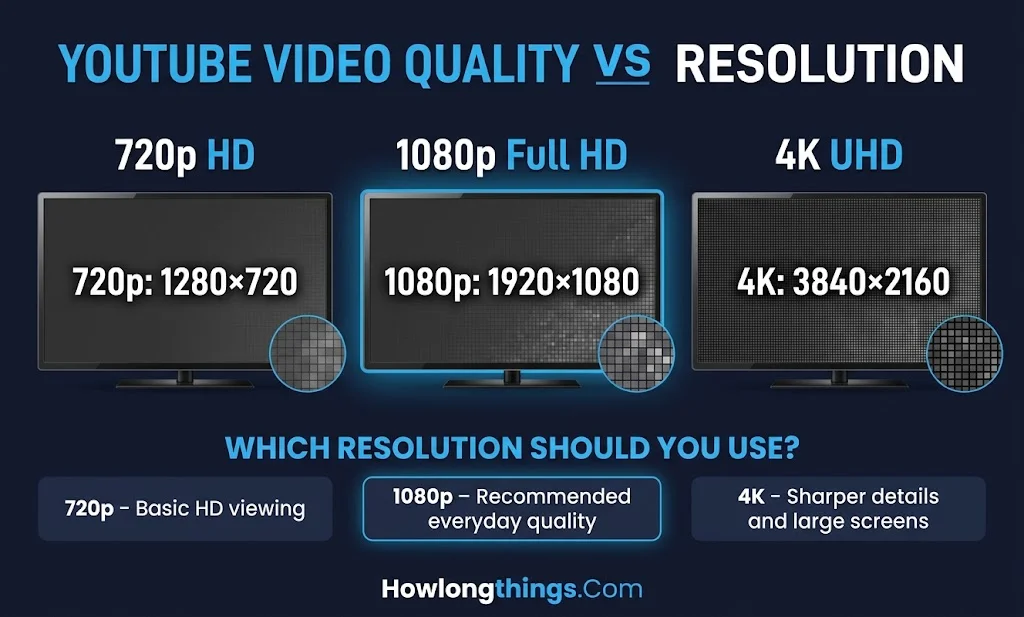
Dimensions are the width and height of your video in pixels. YouTube accepts sizes from 240p to 8K, as YouTube Help explains.
Quality
16:9 (landscape)
9:16 (vertical)
Best for
8K (4320p)
7680×4320
4320×7680
Rare use; few screens play it well
4K UHD (2160p)
3840×2160
2160×3840
Big TVs, travel, product shots
2K (1440p)
2560×1440
1440×2560
Gaming, screen recordings
Full HD (1080p)
1920×1080
1080×1920
The default for most creators
HD (720p)
1280×720
720×1280
Slow connections, small screens
SD (480p)
854×480
480×854
Last-resort quality
360p and 240p
640×360, 426×240
360×640, 240×426
Old footage only
Resolution is the quality label, like 1080p. Dimensions are the exact width × height. Aspect ratio is the shape.
Aim for 1080p or higher. Nearly half of YouTube viewing now happens on TV screens, so low-res video shows.
Upload the highest resolution you have. YouTube re-encodes every file, and a 4K upload can look sharper than a native 1080p file, even when played at 1080p.
4K takes longer to process. Your video may go live in SD or HD first, and the sharper version can appear hours later.
Skip 5K and 6K. Since 2022, YouTube has been phasing out playback for sizes between 4K and 8K.
YouTube videos rely on precise pixel dimensions and aspect ratios for a polished viewing experience, while construction projects depend on accurate physical measurements. The same attention to detail matters when choosing actual 2×10 lumber dimensions for reliable cuts, proper fitting, and structural planning.
YouTube Aspect Ratios: 16:9, 9:16, 1:1 and 4:3
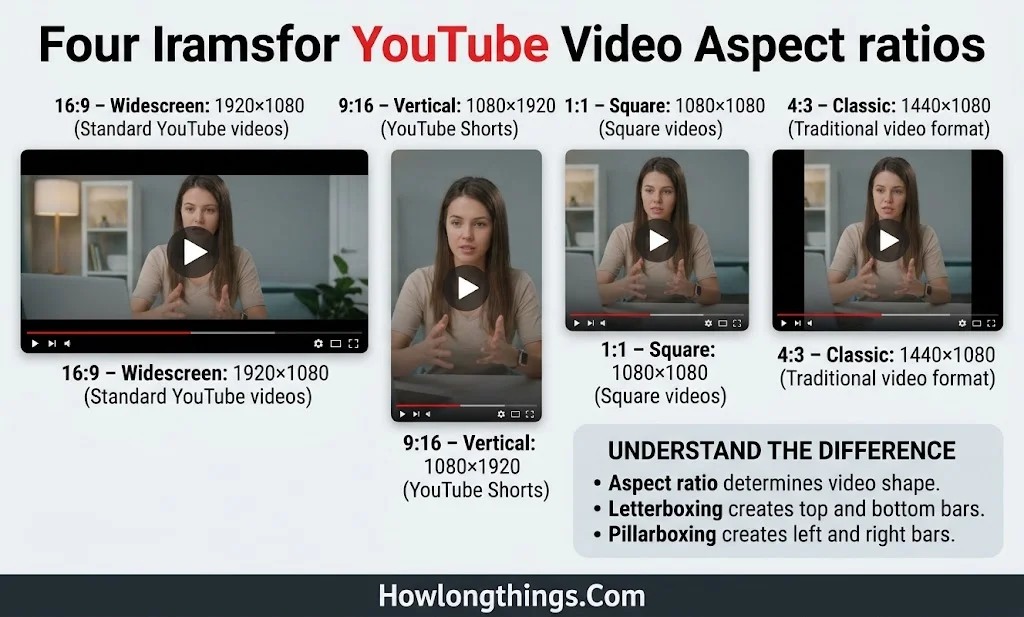
Aspect ratio is the shape of your frame. YouTube’s desktop player is built for 16:9.
16:9 (widescreen): The standard. It fits TVs, laptops, and phones turned sideways with no bars.
9:16 (vertical): Made for YouTube Shorts. It shows heavy side bars on desktop.
1:1 (square): Shows bars left and right on desktop. It also counts as a Short if it runs 3 minutes or less.
4:3 (classic TV): A retro look. It plays with bars on the sides.
21:9 (cinematic): Ultra-wide footage gets bars on the top and bottom.
Pillarboxing means side bars. Letterboxing means top and bottom bars. The player pads with white by default and dark gray in dark theme.
Don’t add black bars yourself. YouTube advises against it. Phone viewers then see a small picture with bars on all four sides.
Set your project aspect ratio before you edit, not at export. It saves you from awkward crops.
YouTube Shorts, Thumbnail, and Channel Art Dimensions
Shorts, thumbnails, and channel art each have their own sizes. Here are the exact ones.
Shorts
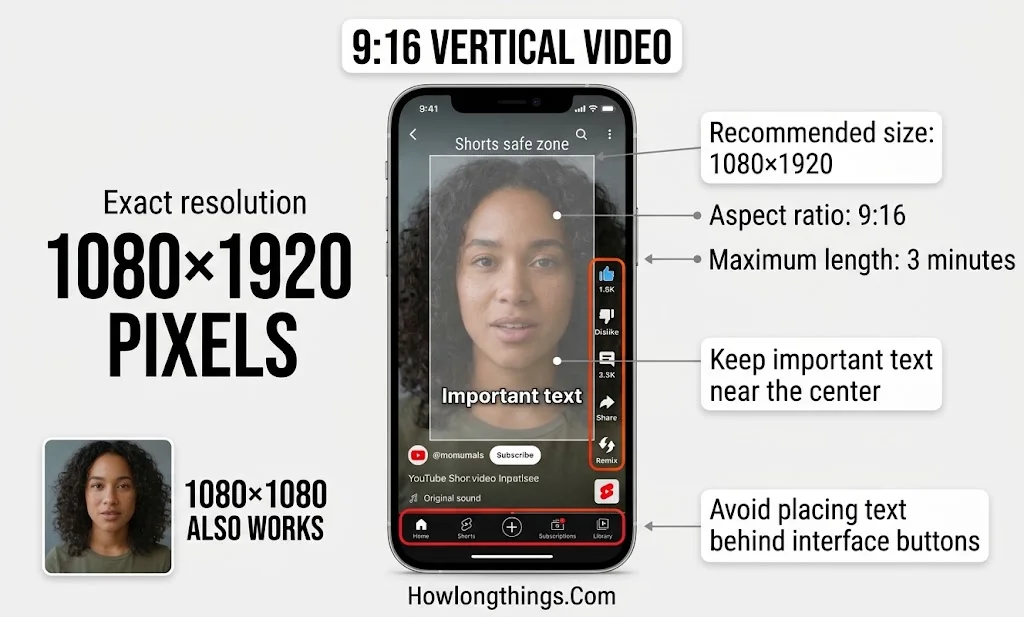
Size: 1080×1920 (9:16). Square 1080×1080 also works.
Length: up to 3 minutes since Oct 15, 2024, per YouTube Help. Older guides still say 60 seconds.
The rule: a square or vertical video of 3 minutes or less becomes a Short. A 16:9 clip never does. A 9:16 video at 3:01 is a regular video.
Safe zone: keep faces and text near the center. Leave about the bottom 300 pixels clear, and avoid the right edge where the like and share buttons sit.
Thumbnails
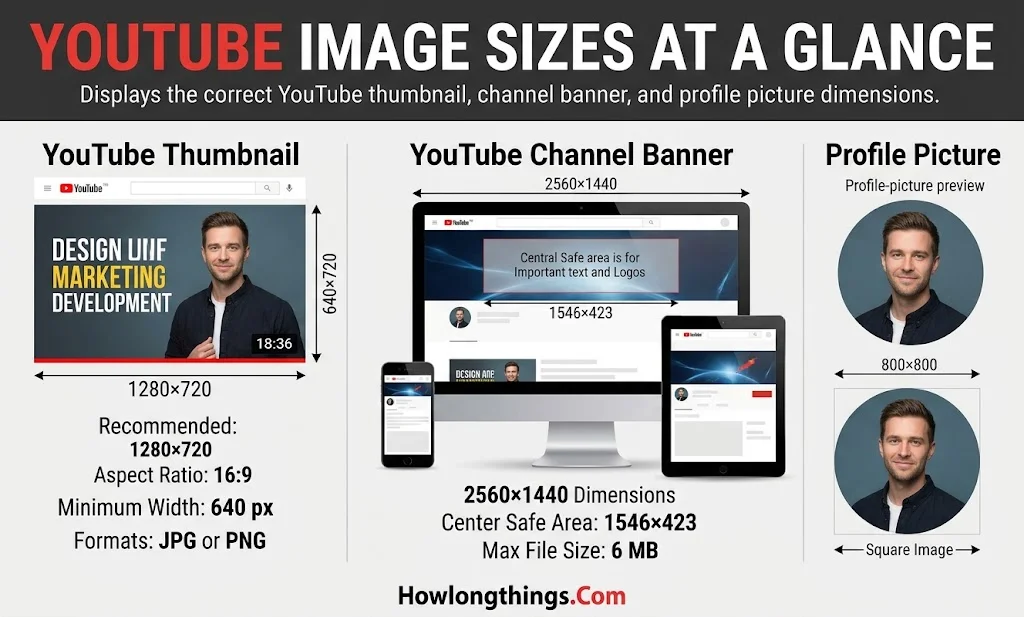
Size: 1280×720 (16:9), with a 640 px minimum width. YouTube’s thumbnail guide lists 3840×2160 as ideal. Use JPG or PNG.
File limit: older guides say 2 MB. YouTube now lists up to 50 MB on a computer and 2 MB on the mobile app.
Keep faces and text away from the bottom-right corner, where the video length sits.
Shorts thumbnails are 9:16.
If your video isn’t 16:9, YouTube fills the gap with a blurred, zoomed background.
Channel art and ads
Banner: 2560×1440, 6 MB max, 2048×1152 minimum. Keep logos inside the center safe area of about 1546×423, per YouTube branding help.
Profile picture: 800×800. It shows as a circle.
Video ads: 1920×1080 (horizontal), 1080×1920 (vertical), 1080×1080 (square).
Live streams: use 16:9. Set your encoder to 1920×1080 before you go live.
Best YouTube Video Size, Format, and File Size
Your export settings decide how sharp your video looks after YouTube processes it. These come from YouTube’s encoding guide.
Format: MP4 with H.264 video and AAC-LC audio. YouTube also takes MOV, AVI, WMV, WebM, HEVC, and ProRes.
Frame rate: Keep your original. US cameras often shoot 24, 30 (29.97), or 60 (59.94) fps. Don’t turn 30 fps into 60. It adds size, not quality.
Audio: 384 kbps stereo is the target.
Resolution
24–30 fps
48–60 fps
1080p
8 Mbps
12 Mbps
1440p
16 Mbps
24 Mbps
4K
35–45 Mbps
53–68 Mbps
How big is the file? At 8 Mbps, 1080p video uses about 60 MB per minute, or about 3.6 GB per hour (video stream only). 4K at 40 Mbps uses about 300 MB per minute.
Upload limits:256 GB or 12 hours, whichever comes first. Some older guides list 128 GB. Accounts that aren’t verified are capped at 15 minutes.
Check your dimensions: On Windows, right-click the file, then Properties, then Details. On Mac, select the file, press Cmd+I, then open More Info.
Fix a wrong size: Reframe your subject instead of a plain center crop. For screen shares or wide shots, keep the full frame and fill the space with a blurred background.
The 1440p trick: Some creators export 1080p footage at 1440p to get more bitrate. It shows most on gaming and landscapes, and little on talking heads.
FAQs
Is a YouTube video 1920×1080?
Yes, 1920×1080 (1080p) is the recommended standard for most videos. YouTube accepts anything from 426×240 up to 7680×4320.
Is YouTube 16×9 or 4×3?
YouTube uses 16:9 as its standard. It also plays 4:3, but desktop viewers see bars on the sides.
How large is a 1920×1080 video?
In pixels, it’s 2,073,600 (about 2.1 megapixels). As a file, it’s about 60 MB per minute at 8 Mbps.
Is 1920×1080 or 1280×720 better?
1920×1080 is better. It has 2.25 times more pixels than 1280×720 (2,073,600 vs. 921,600), so it looks sharper on big screens. 720p still works for slow connections and small screens.
Should I use 1920×1080 or 2560×1440?
1920×1080 is the safe baseline. 2560×1440 has about 78% more pixels and gets a higher bitrate (16 vs. 8 Mbps), so it helps with detailed footage like gaming.
Is 1280×720 a 16:9 resolution?
Yes. 1280 ÷ 720 equals 1.78, which is 16:9. It’s the first HD size on YouTube.
Conclusion
For the best YouTube video size, export long videos at 1920×1080 (16:9) and Shorts at 1080×1920 (9:16). Use MP4 with H.264, keep your original frame rate, and upload the highest quality you have.
Elizabeth Queen is a Owner and consumer research writer at HowLongThings.com, specializing in product lifespan, durability, and everyday household research. She’s passionate about helping readers make smarter, longer-lasting buying decisions.