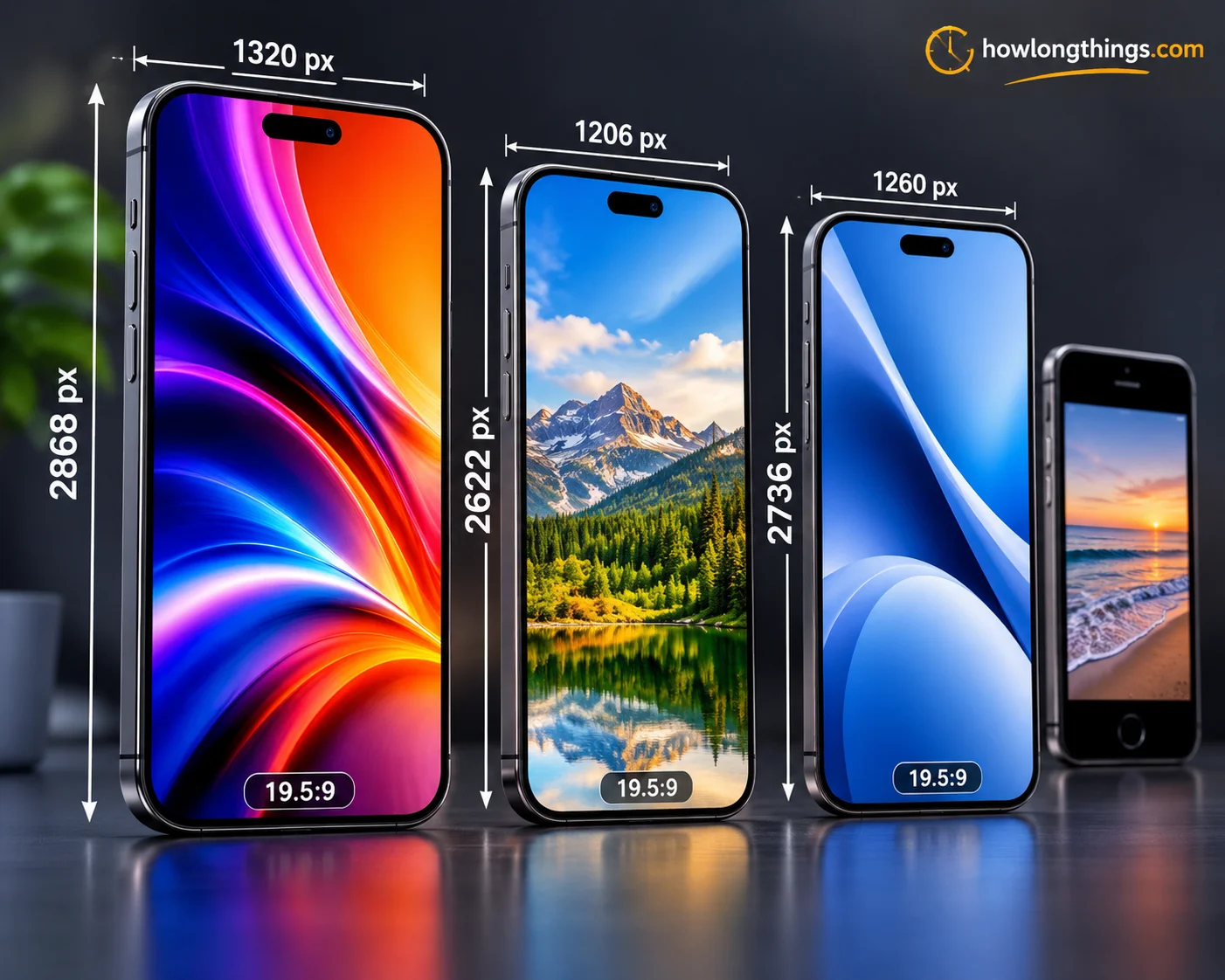
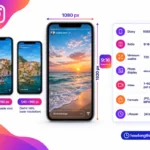
iPhone wallpaper dimensions change from model to model. The newest iPhone 17 Pro Max uses 1320 × 2868 pixels, per Apple’s tech specs.
Use the chart below to find your exact iPhone wallpaper size. Then learn the right aspect ratio, how to resize any photo, and how to stop cropping.
Table of Contents
iPhone Wallpaper Size by Model (Exact Pixel Chart)
Find your iPhone in this chart. Match your image to the wallpaper resolution listed (width × height, in pixels).
iPhone model
Wallpaper size (px)
Screen size
Aspect ratio
iPhone 17 Pro Max, 16 Pro Max
1320 × 2868
6.9″
about 19.5:9
iPhone Air
1260 × 2736
6.5″
about 19.5:9
iPhone 17, 17 Pro, 16 Pro
1206 × 2622
6.3″
about 19.5:9
iPhone 16 Plus, 15 Plus, 15 Pro Max, 14 Pro Max
1290 × 2796
6.7″
about 19.5:9
iPhone 16, 15, 15 Pro, 14 Pro
1179 × 2556
6.1″
about 19.5:9
iPhone 17e, 16e
1170 × 2532
6.1″
about 19.5:9
iPhone 14 Plus, 13 Pro Max, 12 Pro Max
1284 × 2778
6.7″
about 19.5:9
iPhone 14, 13, 13 Pro, 12, 12 Pro
1170 × 2532
6.1″
about 19.5:9
iPhone 13 mini, 12 mini
1080 × 2340
5.4″
about 19.5:9
iPhone 11 Pro Max, XS Max
1242 × 2688
6.5″
about 19.5:9
iPhone 11 Pro, XS, X
1125 × 2436
5.8″
about 19.5:9
iPhone 11, XR
828 × 1792
6.1″
about 19.5:9
iPhone 8 Plus, 7 Plus, 6s Plus, 6 Plus
1080 × 1920
5.5″
16:9
iPhone SE (2nd and 3rd gen), 8, 7, 6s, 6
750 × 1334
4.7″
16:9
iPhone SE (1st gen), 5s
640 × 1136
4″
16:9
What is the iPhone 17 wallpaper size? It is 1206 × 2622 pixels for the iPhone 17 and 17 Pro. The iPhone 17 and 17 Pro both show 460 pixels per inch (ppi), according to TechCrunch’s Apple specs roundup. The iPhone 17e uses 2532 × 1170, per Apple.
Just as choosing the correct iPhone wallpaper dimensions ensures a perfect screen fit, accurate measurements matter in every space. If you’re planning a home improvement project, understanding standard garage door sizes helps you choose the right width and height for your vehicles and garage.
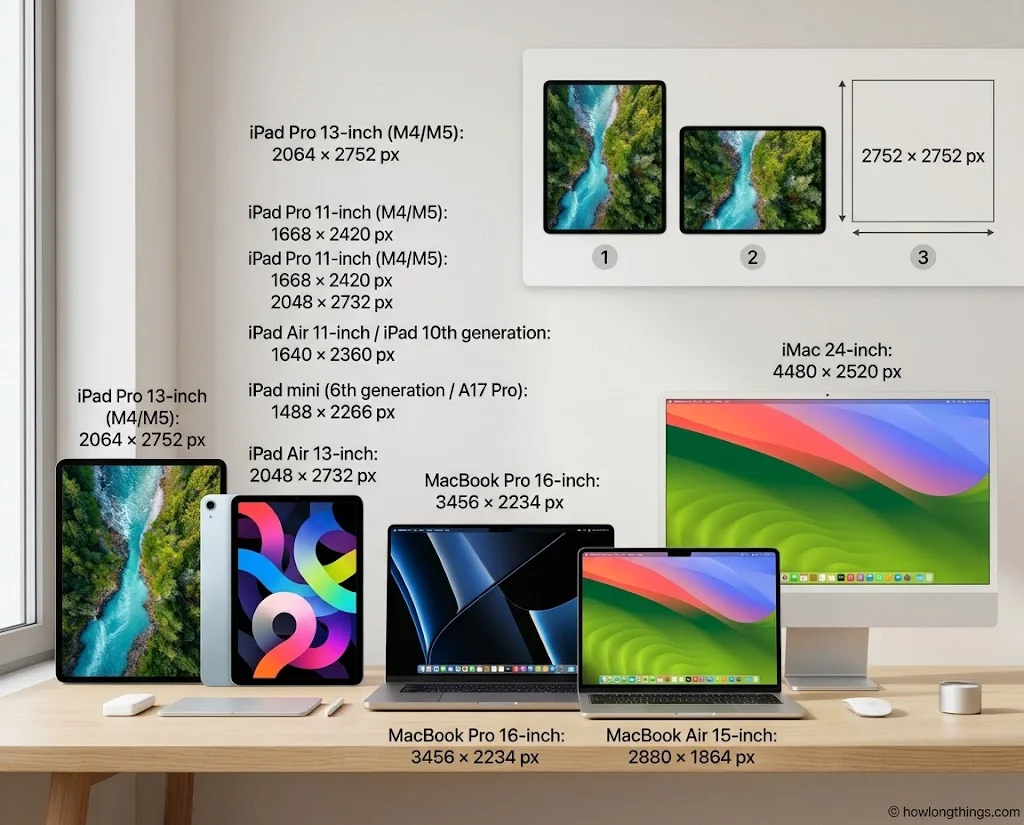
iPad and Mac wallpaper sizes
Device
Wallpaper size (px)
iPad Pro 13-inch (M4, M5)
2064 × 2752
iPad Pro 11-inch (M4, M5)
1668 × 2420
iPad Air 13-inch
2048 × 2732
iPad Air 11-inch, iPad (10th gen)
1640 × 2360
iPad mini (6th gen, A17 Pro)
1488 × 2266
MacBook Pro 16-inch
3456 × 2234
MacBook Air 15-inch
2880 × 1864
iMac 24-inch
4480 × 2520
On the 13-inch iPad Pro, a landscape wallpaper may look cropped. A square 2752 × 2752 image fixes that in both portrait and landscape mode.
One size for all. Making one wallpaper for several iPhones? Use 1320 × 2868. It covers every current model, and you can scale it down without losing sharpness.
Best iPhone Wallpaper Dimensions Size and Aspect Ratio
Modern iPhones have tall screens. The right aspect ratio keeps your image sharp and fully filled.
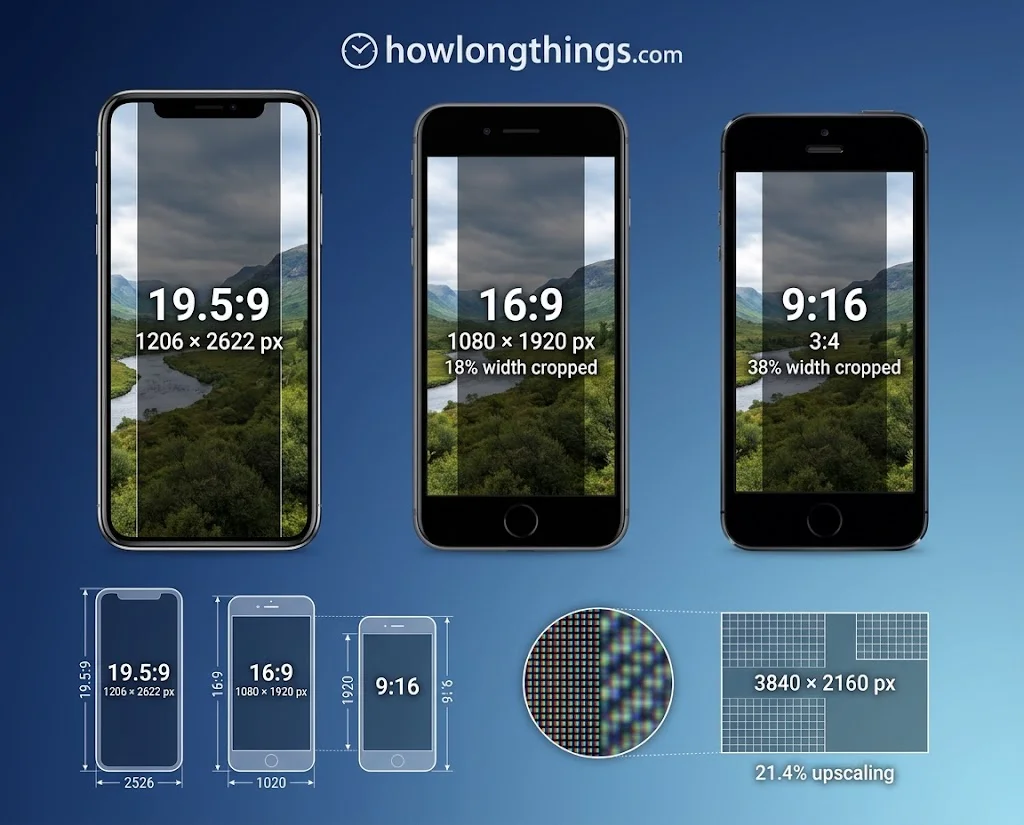
What is the best iPhone wallpaper aspect ratio? It is about 19.5:9 in portrait. This ratio fits every iPhone from the X to the iPhone 17, with no black bars.
Older iPhones (6, 7, 8 and SE) use 16:9. That is why their wallpapers are shorter.
Why aspect ratio matters. iOS fills the whole screen. If your photo has a different shape, it crops the extra part. The math shows how much you lose:
A 9:16 photo loses about 18% of its width on a 19.5:9 screen.
A 3:4 photo loses about 38% of its width.
Go slightly bigger. Aim for your model’s pixel size or larger. A low-resolution image looks soft on a sharp OLED screen. Never stretch a small photo, because stretching causes pixelation.
A 4K landscape photo is not always enough. At 3840 × 2160, it is only 2160 pixels tall. An iPhone 17 needs 2622. iOS has to enlarge it by about 21%, and fine detail gets soft.
Best file format. Use JPG or PNG. Both open fast and keep good quality.
How to Resize a Photo to Fit Your iPhone Wallpaper
A wrong size causes cropping, blur and distortion. These steps fix all three.
Check your exact size first. Take a screenshot. Open it in Photos, then swipe up or tap Info. The pixel size shows there, such as 1206 × 2622.
Crop in the Photos app:
Open the photo and tap Edit.
Tap the crop tool.
Pick a tall portrait shape, then drag the frame over your subject.
Tap Done.
Resize in an editor (Canva, Photoshop or GIMP):
Choose custom dimensions.
Type your model’s width and height from the chart. The smaller number is the width.
Place your image and export it as JPG or PNG at high quality.
How can I make my whole picture fit my wallpaper? A wide photo cannot fill a tall screen without cutting something off. To keep the whole image, put it on a tall canvas. Fill the empty space with a blurred copy, a solid color or a gradient. Nothing gets cropped.
Fix a blurry wallpaper. Use the original photo, not a screenshot of it. Skip heavy zooming inside Settings. If you see a Perspective Zoom option, turn it off. It enlarges the image slightly so it can move with your phone.
iPhone Lock Screen and Home Screen Wallpaper Tips
One image looks different on each screen. The lock screen has a clock and widgets. The home screen has app icons.
Design tips that work:
Keep the main subject centered.
Leave space near the top for the clock.
On the lock screen, a subject that overlaps the clock can create a depth effect.
Pick simple, darker images so app icons stay easy to read.
Avoid busy patterns behind the Dock.
How to set it: Open Settings, tap Wallpaper, then add your image. Check the preview for both screens before you tap Set.
After a new iPhone or iOS update, recheck your wallpaper. A new model can have a new screen size.
iPhone Wallpaper Size FAQs
Are iPhone screens 16:9?
Older ones are. The iPhone 6, 7, 8 and SE use 16:9 (1334 × 750 pixels). Every iPhone since the X uses a taller ratio of about 19.5:9.
Should I use 4:3 or 16:9 on iPhone?
Use neither if you can. Pick a portrait image near 19.5:9. A 16:9 photo loses about 18% of its width, and a 4:3 photo loses far more.
What is the iPhone 17 wallpaper ratio?
The iPhone 17 wallpaper ratio is about 19.5:9. The iPhone 17 and 17 Pro use 1206 × 2622 pixels. The 17 Pro Max uses 1320 × 2868, and the iPhone Air uses 1260 × 2736.
How do I resize a photo to fit my iPhone wallpaper?
Open the photo in Photos, tap Edit, then crop it to a tall portrait shape. For exact sizing, use Canva or Photoshop. Enter your model’s width × height from the chart and export the image.
How can I make my whole picture fit my wallpaper?
Place the picture on a tall canvas with the same pixel size as your iPhone. Fill the leftover space with a blurred background or a solid color. This keeps the full image visible.
What size picture fits an iPhone wallpaper?
Use your model’s exact pixel size or a bit larger, such as 1206 × 2622 for an iPhone 17. Any image at 1320 × 2868 will fit every current iPhone. Keep the ratio near 19.5:9.
Final Thoughts
Pick the pixel size for your model, keep a 19.5:9 shape, and start a little larger than needed. Check the preview on both screens before you set it.
Elizabeth Queen is a Owner and consumer research writer at HowLongThings.com, specializing in product lifespan, durability, and everyday household research. She’s passionate about helping readers make smarter, longer-lasting buying decisions.